I think it is as ready as it is going to be..
Well, it looks like there's a holdup.
The radon came back too high and will need to be remedied before we move on.


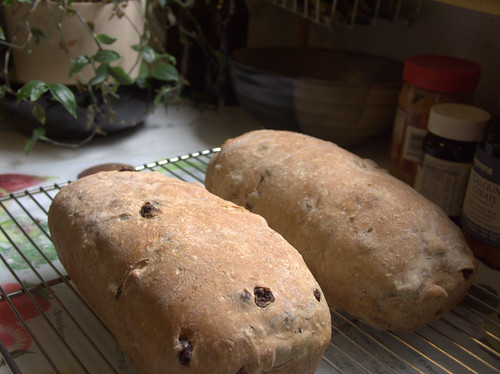
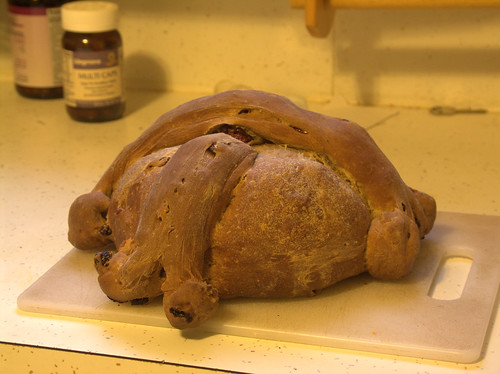
Here's a look at my latest loaf. It is a celebration challah loaf that I put together last night. I am calling it leaning manny loaf.
I am really thinking about starting the challenge back up, but right now I don't have the time to be baking all weekend. Maybe I'll modify it so i am only making corn and dairy free instead of that plus the exact recipe. We'll see.
 [/caption]



I think I want to get into app development for smartphones…but I am not sure where to begin.
And by begin, I mean which platform? I have a blackBerry, but I am very curious about android…
I think I’ll start with BlackBerry and go from there..I mean I can test apps on my BB for now.
 [/caption]
I think I just found a new tool for blogging! Windows Live Writer!
I first found Wordpress For BlackBerry, which I do like. My main problem is, that I don’t want to write a long post on my phone. And then I get into this loop of “Should I post a quick blog, or Tweet about it?” This usually ends up with me not doing anything…and then being kinda bummed that I’m not getting into writing more, and then I get down on myself for being down. This goes on like this for a few hours, when my Wife snaps me out of it..or I find something shiny.
But now I’ve found Windows Live Writer. A free tool that lets me compose a Blog post with all the shiny WYSIWYG-ness I have come to love. The interface is a lot like any word processing program. You have a toolbar along the top to change font size, bold, underline, center, and to add bullets.
To the right, I have links to the blogs I have setup (so far just mine), Recently posted items, Drafts, and Several Insert plug-ins. There is a “Add a plug-in” feature, which connects to the Windows Live Gallery, where you can find more plug-ins, such as add a Polaroid Picture, Flickr picture search, and so on. The one that jumped out at me is the Twitter notify, which will tweet out your new blog post to all your followers. I haven’t played with that yet, but I’m guessing it is pretty straight forward. Plus, I’m not sure I’m ready to start broadcasting my blog posts yet…I’m pretty sure this is still and ALPHA blog.
Along the bottom of the Screen, you have your publishing options. You can add tags, Preview the post with your current theme, and set a publish date. I really enjoy the preview, as it can help me get a feel if my post is too long, or needs to be formatted differently.
All in all, the free Windows Live Writer is a great tool for beginning bloggers. I can begin a post, start the general outline while I still have it fresh in my head. I can then add any media/content and preview it before I even open a web browser. I’m sure as I use it more I’ll find things to gripe about, but for now, I’d give it two thumbs up.
Grab this Version of Protect Tools Security Manager. Should be version 4.10.9.13. The one that is listed for the 2730p is version 4.00.11.152 and WILL NOT WORK.
Grab The BIOS Configuration for HP Protect Tools.
(Note, You don’t really need the BIOS part unless you’re like me and forgot your BIOS Admin Password…I’m awesome like that)
And then you should be good to use Protect Tools in Windows 7!
Thanks to Markus Lentinen for pointing me to the Correct Protect Tools Version.